


A digital guestbook can be as simple as a shared photo folder or as complete as a branded event platform that collects photos, videos, voice messages, and written notes in real time.
The best option depends on what you need after guests contribute. Are you creating a one-time wedding keepsake? Collecting content at a conference? Building a reusable library for future marketing? Running several events with a small team?
This guide compares the main digital guestbook tools available today so you can choose based on guest experience, content types, moderation, branding, long-term value, and cost.
Quick answer: Which digital guestbook tool is best for your situation?
| Your situation | Best-fit digital guestbook option | Why |
|---|---|---|
| You want a printed book converted into a keepsake | Paper-to-digital keepsake service | Focuses on scanning, digitizing, and preserving existing messages |
| You are planning a wedding or private celebration | Wedding-specific guestbook app | Usually offers simple templates, guest messages, and event-focused sharing |
| You need photos, videos, QR collection, and future reuse | Event photo sharing platform | Built for live collection, moderation, galleries, and content management |
| You only need written responses | Survey or form tool | Easy to set up, especially for text-based guest messages |
| You need a low-cost DIY solution | Shared cloud album with a QR code | Familiar and inexpensive, but limited for moderation and reuse |
| You manage multiple events with a lean team | Event photo sharing platform | Reduces scattered files and creates a repeatable workflow |
There is no single best digital guestbook for every event. The right choice depends on your event size, the types of content you want to collect, how much control you need, and whether the content matters beyond the event itself.
1. Paper-to-digital keepsake services
Paper-to-digital services start with a physical guestbook, handwritten messages, printed photographs, or other existing materials. The service scans or digitizes the content and turns it into an online keepsake.
This option is different from a live digital guestbook. Guests usually do not upload content directly during the event. Instead, the value comes from preserving something you already have.
Pros
- Preserves handwritten messages and physical photographs
- Creates a digital backup of an important keepsake
- Can be useful for anniversaries, memorials, family histories, and milestone events
- Often results in a polished final album
Cons
- Usually does not collect guest content in real time
- May not support video, voice messages, or live photo sharing
- Requires physical handling, scanning, or a service turnaround time
- Less suitable for events where guests need to contribute from their phones
Best for
- Tourism destinations
- Memorials and celebrations of life
- Corporate Events and Retreats
- Historic venues and community collections
Decision rule: Choose this category when preservation is more important than live participation.
2. Wedding-specific digital guestbook apps
A digital wedding guestbook app is designed for weddings, receptions, engagements, and other private celebrations. These tools often focus on a simple guest experience, attractive layouts, and sharing photos or written messages through a private event link.
Some wedding-focused tools use a browser link or QR code rather than requiring guests to download an app. That distinction matters. Every extra step can reduce participation, especially when guests are moving between dinner, conversation, dancing, and other activities.
Pros
- Usually easy for couples and private-event hosts to set up
- Familiar wedding-focused language and templates
- Often includes guest messages, photos, and event links
- Works well for a single wedding or celebration
- May include invitations, RSVP features, or guest lists
Cons
- Some tools focus more on the wedding than on broader event use
- Branding and layout options may be limited
- Content may remain inside a private keepsake rather than a reusable library
- Moderation and consent controls vary considerably
- Pricing may be based on one event, storage, guest count, or a premium package
Best for
- Weddings
- Engagement parties
- Birthdays
- Baby showers
- Family celebrations
Decision rule: Choose a wedding-specific tool when your main goal is a private keepsake and you do not need an ongoing content-management workflow.
3. Event photo sharing platforms
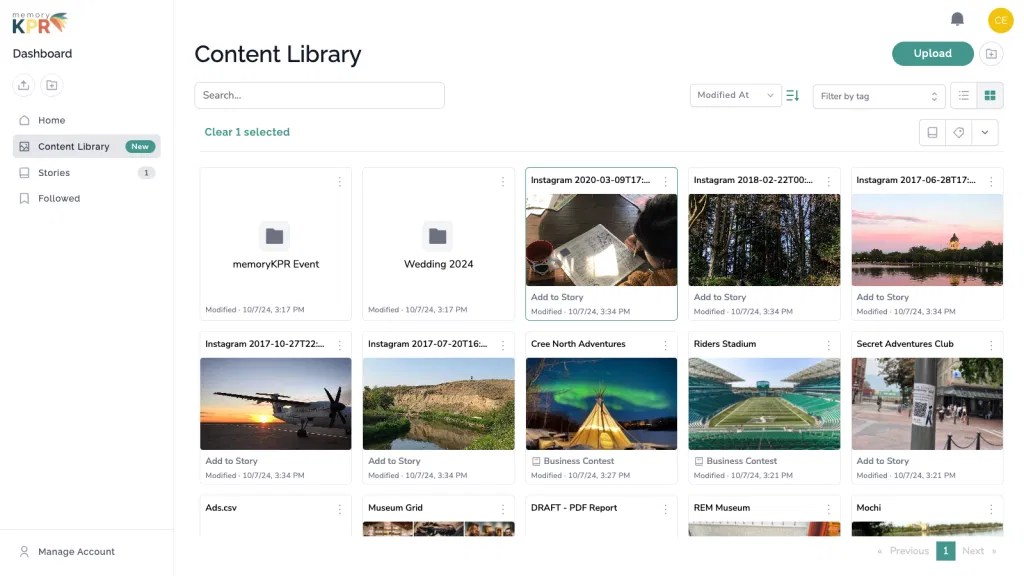
Event photo sharing platforms are designed to collect and manage content from events, activations, conferences, fundraisers, destinations, and other shared experiences.
Guests typically scan a QR code or open a link on their phone. They can contribute photos, videos, written messages, and sometimes voice messages without downloading an app or creating an account. The event team manages the content from a central dashboard.
This category is usually the strongest choice when you want to collect photos from an event and use them after the event.
Pros
- Supports QR code photo sharing and link-based collection
- Guests can often contribute without an app or account
- Supports more than written messages
- Content can arrive in real time
- May include moderation, usage disclosures, and consent controls
- Can create galleries, live slideshows, and website embeds
- Better suited to multiple events and long-term content reuse
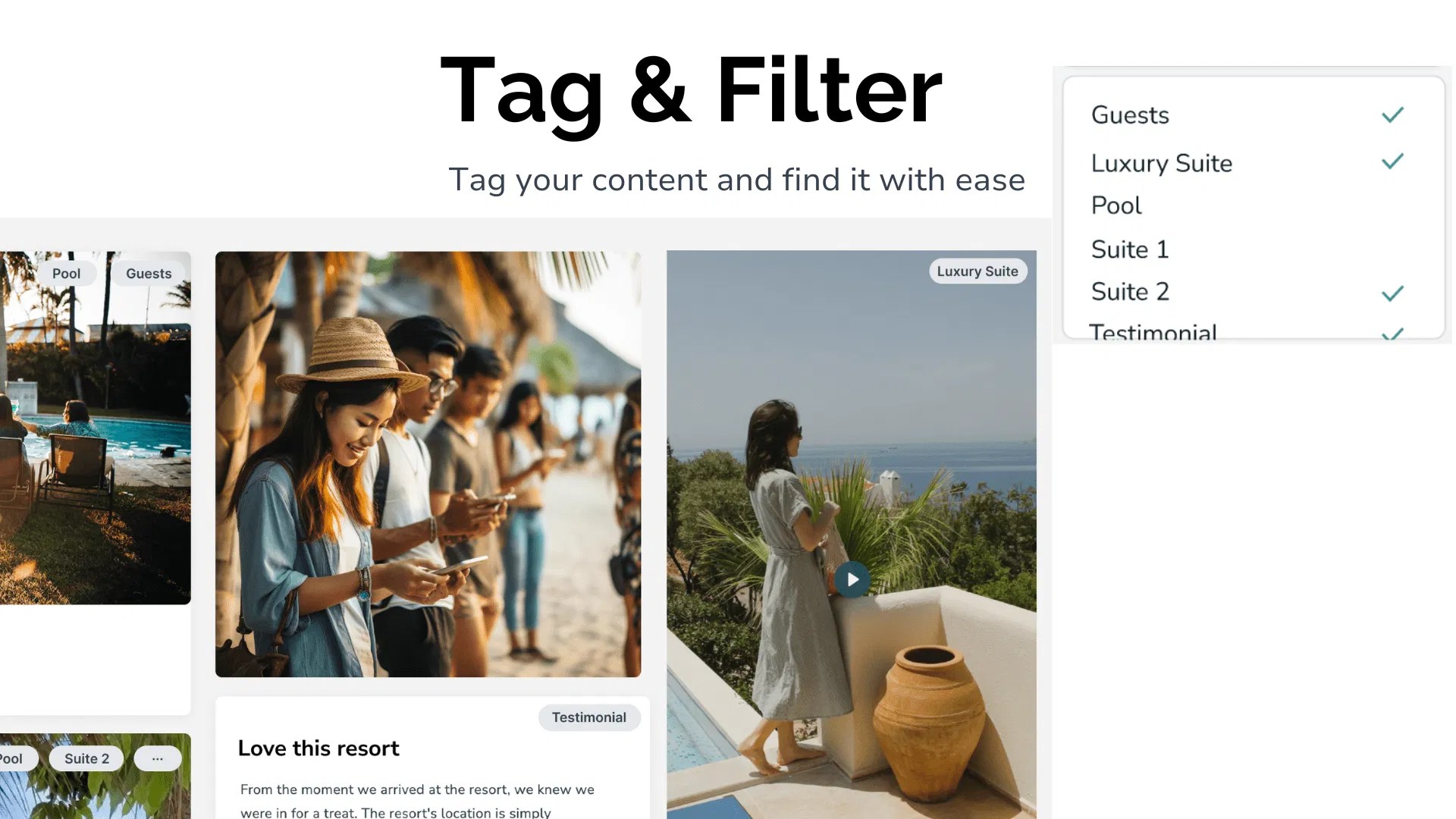
- Can support hashtags, imports, tagging, and search
Cons
- May offer more features than a one-time private event requires
- Requires some planning around moderation and rights management
- Pricing may be subscription-based rather than a simple one-time fee
- Teams need to decide who will review and organize content
Best for
- Conferences
- Fundraisers
- Brand activations
- Festivals
- Museums and cultural sites
- Tourism boards and destinations
- Hotels and resorts
- Organizations running multiple events each year
Decision rule: Choose an event photo sharing platform when content collection is only the first step and you also need to organize, display, moderate, and reuse what guests submit.
A platform such as memoryKPR’s event photo sharing solution is built around this broader workflow. Guests can scan a QR code, contribute from a browser, and see content displayed through galleries or live slideshows.
4. General survey and form tools adapted for guestbooks
Survey and form tools can be adapted into a basic digital guestbook. You create a form, add fields for a name and written message, and optionally allow file uploads.
This can work well when you only need short written responses. It becomes less convenient when you want an attractive guest experience, real-time displays, video, audio, moderation, or a branded public gallery.
Pros
- Familiar to many organizers
- Quick to create
- Useful for written messages and simple feedback
- Can collect basic contact details or event responses
- Often offers flexible question types
Cons
- May feel like a survey rather than a guestbook
- Photo and video uploads can be less intuitive
- Audio messages may not be supported
- Limited gallery and slideshow options
- Branding may be restricted
- Content often needs to be exported and organized manually
- Consent language and usage rights may require extra setup
Best for
- Small gatherings
- Internal company events
- Written feedback
- Simple memorial or retirement messages
- Organizers already using a form platform
Decision rule: Use a form tool when written responses are the priority and presentation is secondary.
5. DIY shared cloud albums with a QR code
A DIY digital guestbook can be created with a shared cloud folder or photo album and a QR code that points guests to it. This is often the fastest low-cost approach.
It can also be the most frustrating once content starts arriving. You may have limited control over file organization, duplicate uploads, privacy, moderation, branding, and future reuse.
Pros
- Low setup effort
- Familiar to guests
- Suitable for a small private gathering
- Can collect photos without building a full event website
- May be inexpensive or included with an existing storage account
Cons
- Guests may need an account, depending on the service and settings
- Video and audio support varies
- Limited moderation and consent handling
- Weak branding options
- Files can become difficult to sort
- No built-in event slideshow or curated story
- Content may remain scattered across folders
- Rights and reuse permissions are easy to overlook
Best for
- Small family events
- Informal gatherings
- Internal teams
- One-time photo collection with no public display
- Organizers who already have a shared storage workflow
Decision rule: Choose DIY when the event is small, privacy requirements are simple, and you are comfortable managing the files yourself.
Side-by-side comparison of digital guestbook tools
| Option | Guest contribution | App or account required? | Content types | Moderation and consent | Branding | After the event | Typical pricing model |
|---|---|---|---|---|---|---|---|
| Paper-to-digital service | Existing paper materials are digitized | Usually not applicable to guests | Scanned pages, photos, written notes | Usually handled during production | Often keepsake-focused | Final digital archive | Per project or package |
| Wedding guestbook app | Link, QR code, or app-based submission | Varies by provider | Photos, written notes, sometimes video or audio | Basic to moderate, depending on tool | Templates and event styling | Private keepsake or album | Per event, package, or premium tier |
| Event photo sharing platform | QR code or shareable link | Often no app or guest account | Photos, video, voice messages, text | Stronger controls may include review and disclosures | Branded galleries and stories | Library, slideshow, gallery, embed, future campaigns | Subscription, event plan, or both |
| Survey or form tool | Form fields and file uploads | Often no app, account requirements vary | Mainly text, photos, and files | Usually requires manual setup | Basic form branding | Exported responses and files | Free tier, subscription, or usage limits |
| Shared cloud album | Shared link, folder, or QR code | Varies by platform | Mainly photos and videos | Limited | Minimal | Folder or album | Free storage tier or existing subscription |
What to test before choosing a digital guestbook
Before committing to a digital guestbook app or platform, run a short practical test. Do not judge a tool only by its feature list.
1. Test the guest experience
Scan the QR code from a phone that is not logged in. Check:
- How many taps are required?
- Can guests contribute without downloading an app?
- Is account creation required?
- Can guests upload from their camera roll?
- Does the page work on both iPhone and Android?
- Is the instruction clear without staff assistance?
2. Test every content type you need
Upload:
- A photo
- A short video
- A voice message
- A written note
Do not assume that “media support” means every file type is supported equally.
3. Test moderation and consent
Confirm whether you can:
- Review content before it becomes public
- Remove inappropriate submissions
- Add a usage disclosure
- Record permission for marketing reuse
- Keep some content private
- Manage contributor information responsibly
Privacy and consent should be part of the setup, not an afterthought. You can also review memoryKPR’s privacy policy to understand how a privacy-first platform approaches customer data.
4. Test what happens after the event
Ask:
- Can you download the original files?
- Can you search and filter content?
- Can you create a gallery or slideshow?
- Can you embed the story on your website?
- Can you reuse content for future campaigns?
- Can additional team members help manage it?
- Will the content remain available after a one-time event plan ends?
This is where many basic digital guestbook options show their limits. A guestbook may successfully collect messages but still leave you with a difficult folder of files afterward.
Why memoryKPR is a strong choice for long-term content reuse
If you need a digital wedding guestbook for one private celebration, a wedding-specific tool may be enough. If you are running conferences, fundraisers, destination experiences, or multiple events each year, you may need more than a guestbook.
memoryKPR combines:
- QR code and shareable link collection
- Photo, video, voice message, and text submissions
- No app download or guest account required
- Real-time content collection
- Content moderation and usage disclosures
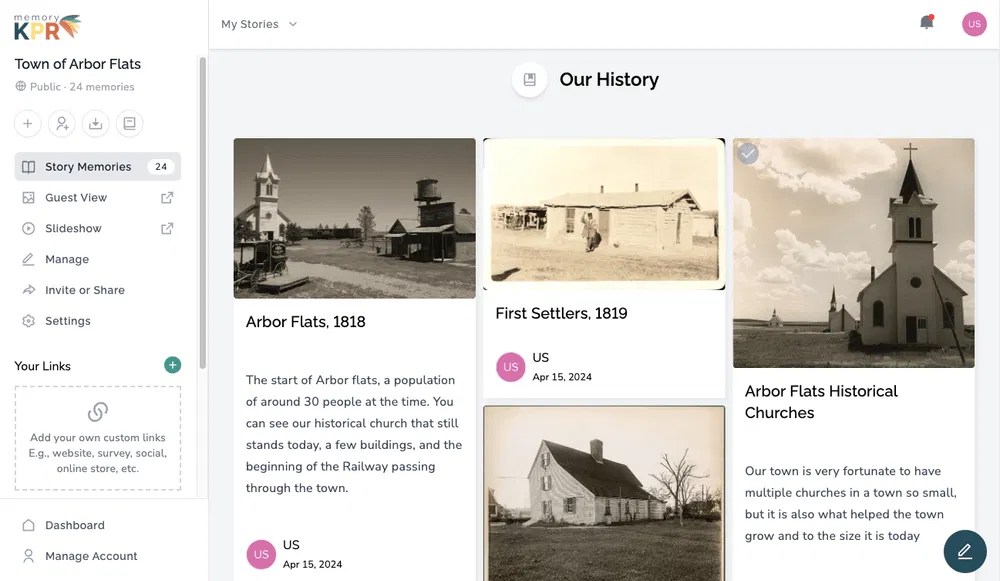
- Branded stories and curated galleries
- Live event slideshows
- Tagging and semantic search
- Website embeds
- Social hashtag capture
- Team collaboration
- A centralized content library
The goal is practical: you collect content once, organize it properly, and keep it useful beyond the event.
One customer described the benefit clearly:
“Between the hashtag capture and the QR codes that invited people to add pictures, we got some amazing content that we will use to promote future events. It was easy to use and it’s so nice to have all this content in one place.”
Final recommendation: choose based on what happens next
Choose a paper-to-digital service if you are preserving an existing physical guestbook.
Choose a wedding-specific guestbook app if you want a simple private keepsake for one celebration.
Choose a form tool if your guests only need to leave written messages.
Choose a shared cloud album if the event is small and you are comfortable organizing files yourself.
Choose an event photo sharing platform if you want to collect photos and videos in real time, display them during the event, manage consent, and reuse the content later.
For organizations that need a reliable, branded, no-app way to gather and manage event content, explore memoryKPR or book a short demo. You can also start with the 14-day free trial and test the guest experience before making a larger commitment.



You must be logged in to post a comment.