

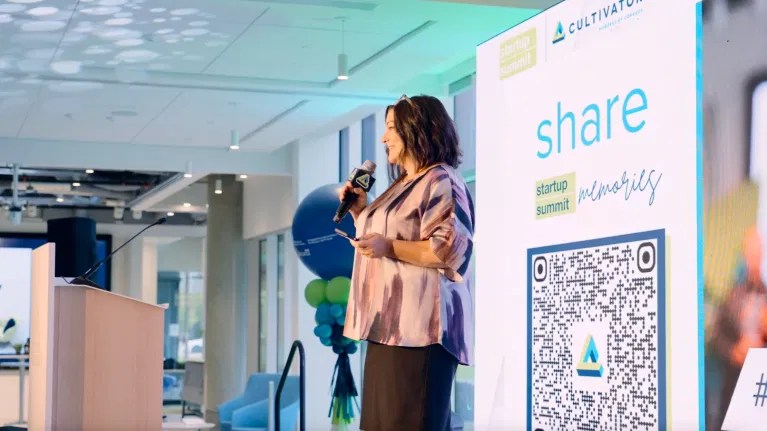
If your goal is to collect photos from an event, QR code photo sharing will usually give you more coverage, more contributors, and less work than a traditional photo booth.
A photo booth still has value. It creates a visible attraction, gives guests a structured activity, and can provide instant printed keepsakes. But it captures photos in one place, at one station, with one camera.
QR code photo sharing uses the cameras guests already carry. They scan a code, open a browser-based gallery, and upload photos from anywhere at the event. With a platform such as memoryKPR, guests do not need to download an app or create an account. Content arrives in real time and can appear on a live photo wall.
So which option is right for your event? The answer depends on whether you prioritize photo volume, physical experience, staffing, content quality, or long-term reuse.
QR code photo sharing vs. photo booths: quick comparison
| Decision factor | QR code photo sharing | Photo booth |
|---|---|---|
| Photo volume | High. Every guest can contribute from anywhere. | Moderate. Photos come from one station and one setup. |
| Event coverage | Captures candid moments across the venue. | Captures posed photos at the booth. |
| Cost | Usually lower hardware and staffing costs. | Often includes rental, delivery, setup, equipment, and staffing. |
| Guest access | Scan and upload from a phone. No app or account required with memoryKPR. | Guests visit the booth and follow its process. |
| Staffing | Minimal after signage and gallery setup. | Often requires delivery coordination and an attendant. |
| Engagement | Continuous participation, especially with a live photo wall. | Strong activity around one physical attraction. |
| Content quality | Natural, varied, guest-generated content. | Consistent lighting and more controlled compositions. |
| Post-event reuse | Centralized, searchable, moderated, and easy to reuse. | Digital files may be delivered later, with less built-in organization. |
| Best for | Broad event coverage and content collection. | Branded photo moments and instant physical keepsakes. |
1. Which option gets you more guest photos?
QR code photo sharing: Pros
- Every guest’s phone becomes a potential camera.
- Guests can upload photos from the stage, dinner, dance floor, workshop, or outdoor area.
- You capture candid moments that a booth will never see.
- Multiple QR codes can be placed throughout the venue.
- Guests can contribute photos, videos, and, depending on the platform, voice messages.
- Uploads can appear in a shared gallery as the event happens.
The main advantage is coverage. A photo booth asks guests to come to the camera. QR code photo sharing brings the collection point to the guests.
This makes it easier to collect photos from an event without asking one person to manage a camera or chase attendees for files after the event.
Photo booth: Pros
- Creates a clear and memorable activity.
- Encourages guests to pose together.
- Provides consistent lighting and framing.
- Can include props, branded backdrops, GIFs, and printed strips.
- Works well when the photo experience itself is part of the entertainment.
The practical verdict
Choose QR code photo sharing when you want more total photos and broader coverage. Choose a photo booth when you mainly want a controlled, physical photo moment.
2. Cost and staffing: which is easier for a lean team?
Photo booth pricing varies by supplier, event length, equipment, prints, delivery, and staffing. As one industry comparison notes, rentals can include significant costs for the booth, setup, delivery, and an attendant. Photogala’s comparison of QR sharing and photo booths provides a useful overview of those differences.
A QR code setup is usually lighter. You need:
- A digital story album or gallery.
- A tested QR code and shareable link.
- Printed signage or table cards.
- Optional screen access for a live photo wall.
- A simple moderation plan.
There is no booth to deliver. You do not need to reserve floor space for equipment. You also do not need someone standing beside the setup for the entire event.
memoryKPR’s event engagement platform is designed for teams that need to run interactive experiences without extensive staffing. For a single event or short campaign, Quick Story provides a one-time option. Business plans include a 14-day free trial.
QR code photo sharing: Cons
- Guests need a phone and an internet connection.
- You need to place the code where guests will notice it.
- Uploads may require moderation.
- Some guests will need a short instruction, such as “Scan to add your photos.”
Photo booth: Cons
- Requires physical space and power.
- May require an attendant.
- Guests may need to wait in line.
- It captures less of the event outside the booth area.
- Prints and equipment can increase waste, logistics, and cost.
Decision rule: If your team is small, your venue has several activity areas, or your budget needs to stretch, QR code photo sharing is usually the simpler option.
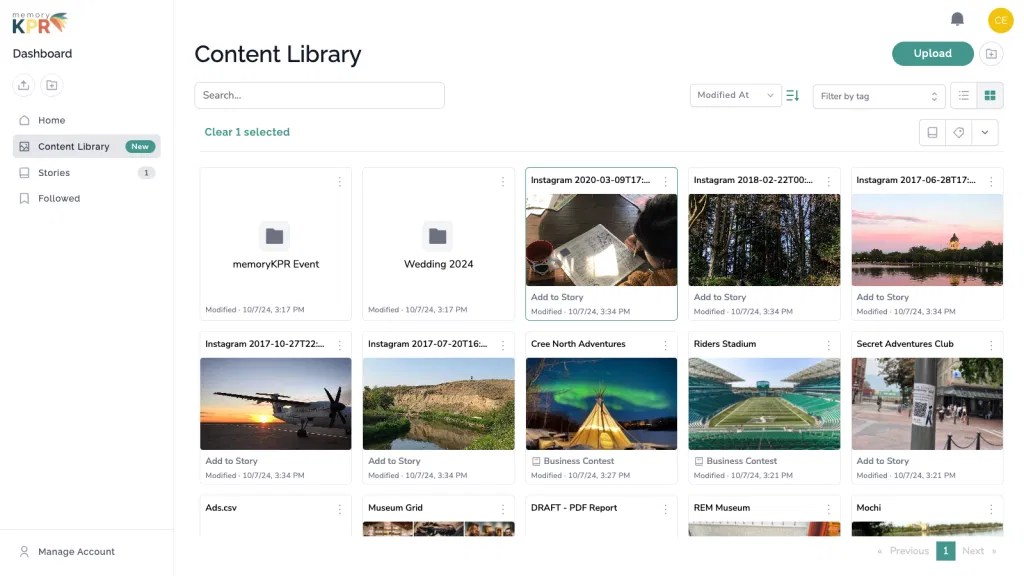
3. Engagement: is a booth more fun than a QR code?
A photo booth is easy to understand. Guests see the backdrop, props, and camera, then decide whether to participate.
QR code photo sharing needs a little more intentional design. The code should not be hidden on a crowded sign. Add a direct invitation:
- “Scan to share your event photos.”
- “Add your view of the day.”
- “See the live photo wall.”
- “Help build our event album.”
Place QR codes:
- At registration and check-in.
- On tables and bar menus.
- Near the stage or presentation screen.
- Beside entrances and exits.
- In printed programs and name badges.
- On selfie stations or event kiosks.
The memoryKPR event engagement guide recommends combining QR codes with live photo walls, crowdsourced content, and digital albums. This creates a useful feedback loop: guests see other uploads, recognize the experience, and feel encouraged to contribute their own photos.
A photo booth concentrates engagement in one area. A live photo wall can make photo sharing part of the entire event.
4. Content quality: polished photos or authentic coverage?
This depends on what you mean by quality.
A photo booth generally produces more consistent images. Lighting, framing, and background are controlled. That is helpful for a brand activation, sponsor experience, or formal celebration.
QR code photo sharing produces more varied content. You may receive polished phone photos, quick snapshots, videos, behind-the-scenes moments, and candid images from guests who were not standing near the booth.
For many event organizers, this variety is more useful after the event. It shows the atmosphere, audience, speakers, activities, and small moments that make the experience feel real.
You can also combine both approaches. Let the booth create branded portraits while QR codes collect the wider story.
“Between the hashtag capture and the QR codes that invited people to add pictures, we got some amazing content that we will use to promote future events.”
Brea D, Conexus Cultivator
5. Post-event reuse: what happens after the doors close?
This is where the difference becomes especially important for organizations and destinations.
A photo booth may give you a folder of digital images and a collection of prints. That can be enough for a one-time celebration. But if you manage recurring events, campaigns, or visitor experiences, you need more than a folder.
With memoryKPR, event content can be:
- Stored in one centralized content library.
- Organized into branded digital albums.
- Moderated before public display.
- Tagged for easier discovery.
- Searched using optional privacy-respecting AI tagging.
- Reused in social media, websites, emails, and future campaigns.
- Embedded directly into a website.
- Shared with collaborators and internal teams.
- Managed with usage disclosures and rights information.
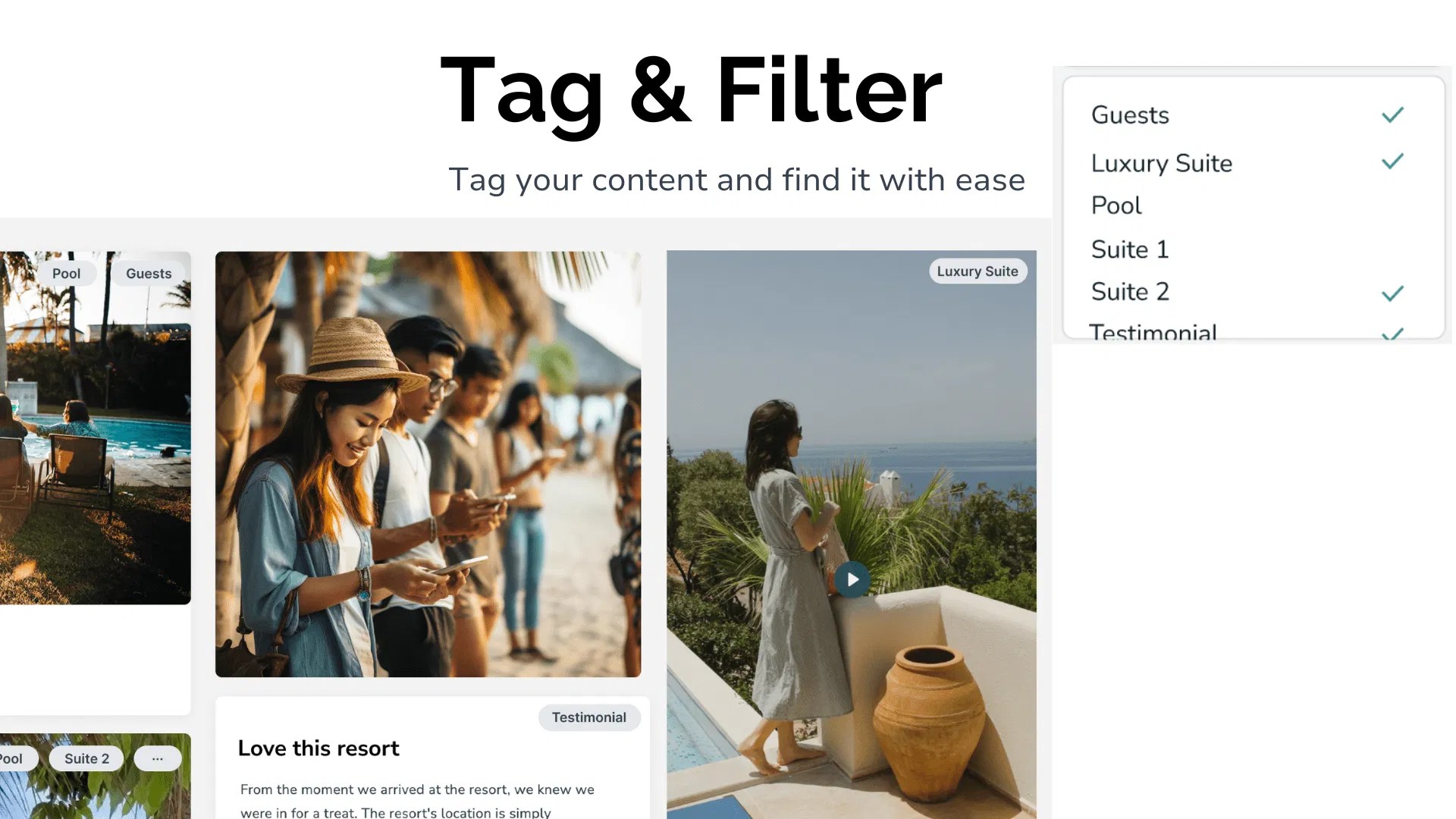
This matters when you want to turn one event into a long-term content asset. A destination may collect visitor images for future tourism marketing. A conference organizer may reuse attendee photos in next year’s promotion. A nonprofit may need approved images for impact reporting.
As memoryKPR explains on its digital storytelling platform, the goal is to capture, organize, and share event content without relying on scattered folders, social media feeds, or separate storage tools.
Best option by event type
| Event type | Best option | Why |
|---|---|---|
| Conferences | QR code photo sharing, with an optional photo booth | Capture sessions, networking, speakers, and attendee moments across the venue. |
| Fundraisers | QR code photo sharing | Collect broad participation while keeping staffing focused on donors and programming. |
| Weddings | QR code photo sharing plus a booth | The booth adds fun and prints. QR sharing collects candid moments from the whole day. |
| Festivals | QR code photo sharing | Multiple zones and activities make a single booth too limited. |
| Brand activations | Hybrid setup | Use the booth for controlled branded content and QR sharing for wider user-generated content. |
| Destinations and hospitality | QR code photo sharing | Guests can contribute from rooms, attractions, tours, pools, and gathering spaces. |
How to get better results from QR code photo sharing
Use this simple setup checklist:
- Create the gallery before the event. Add your branding, event name, and upload instructions.
- Test the QR code. Scan it from multiple phones and confirm that uploads work.
- Make the invitation clear. “Scan to add your photos” is more effective than displaying a code without context.
- Place codes in several locations. One sign at the entrance is rarely enough.
- Add a live photo wall. Display approved uploads on a screen so guests can see the collection grow.
- Assign a moderator. Review content during the event when appropriate.
- Plan for reuse. Decide in advance which photos may support social media, newsletters, websites, or future campaigns.
- Communicate consent. Tell guests how their contributions will be displayed and used.
Final verdict: QR code photo sharing usually wins on volume
If your main question is, “How do I collect more photos from my event?” QR code photo sharing is usually the stronger choice.
It gives you:
- More contributors.
- More event coverage.
- Lower operational complexity.
- Real-time engagement.
- Easier post-event access.
- A more organized path to reuse.
A photo booth remains a good investment when you want a physical attraction, instant prints, or highly controlled branded portraits. You do not have to choose only one. The strongest setup for many events is a hybrid: use the booth for the dedicated photo experience, then use QR code photo sharing to collect the rest of the story.
Explore memoryKPR to see how QR code photo sharing, live photo walls, moderation, galleries, and content management can work together. You can also book a demo for a practical walkthrough based on your next event.


